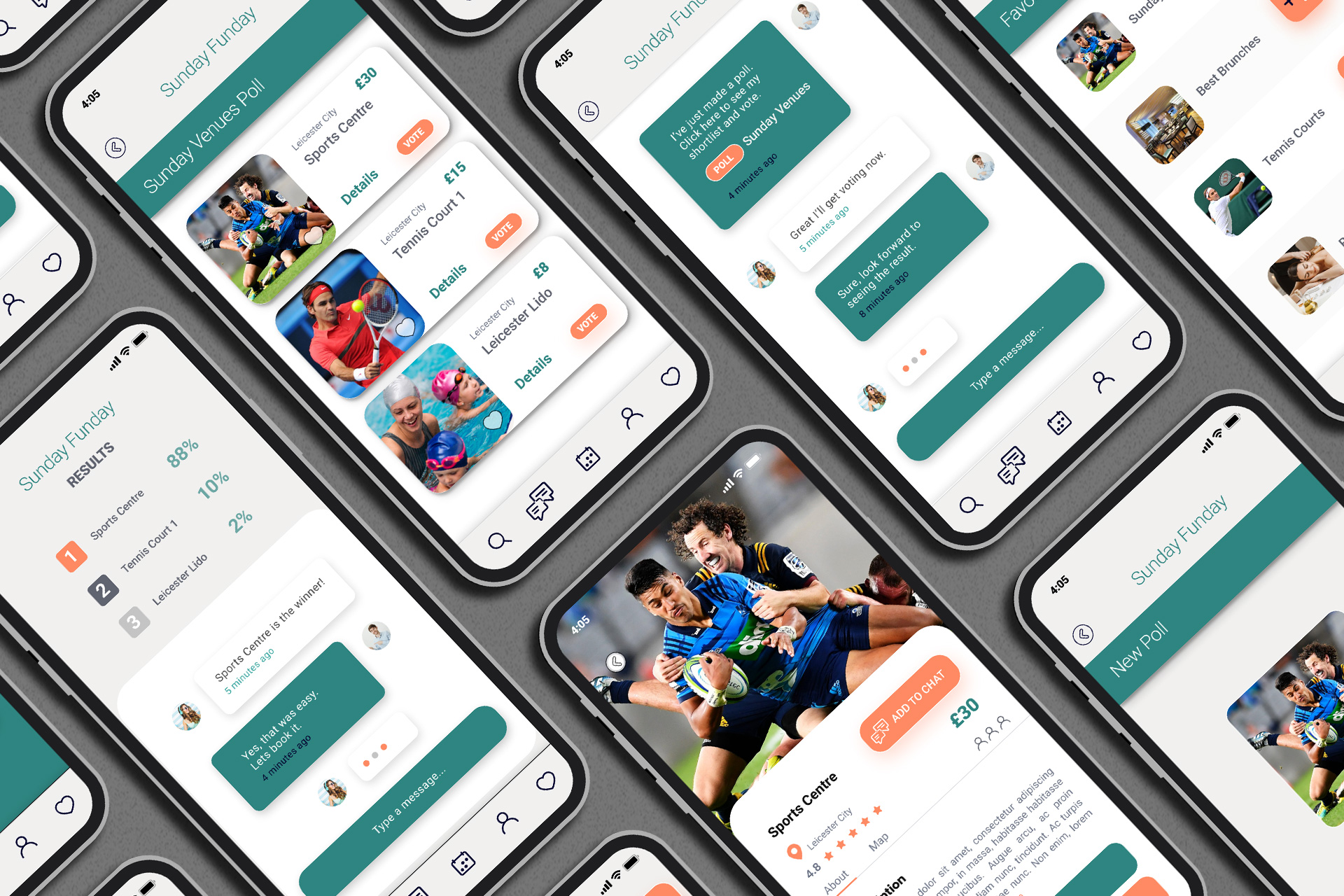
UX / UI Projects
Before starting my adventure with UX, I had already designed dozens of multimedia presentations in the past. Recently, I have learned that I’ve been intuitively using the same methods that are standard in UX design nowadays.
However, I’d like to tell the story
of the first project where I have used my UX
knowledge purposefully
More often than not, one is usually part of something bigger. In this case, it was a development team. That’s pretty good, as in teams it’s always easier to share your thoughts and experiences. That’s why from now on I’ll say that ‘we did this’ and ‘we designed that’, although our individual roles only became clear by the end of the project. As it usually is with new endeavours, nobody could tell exactly where we were headed and what we were going to achieve.
Let’s begin!
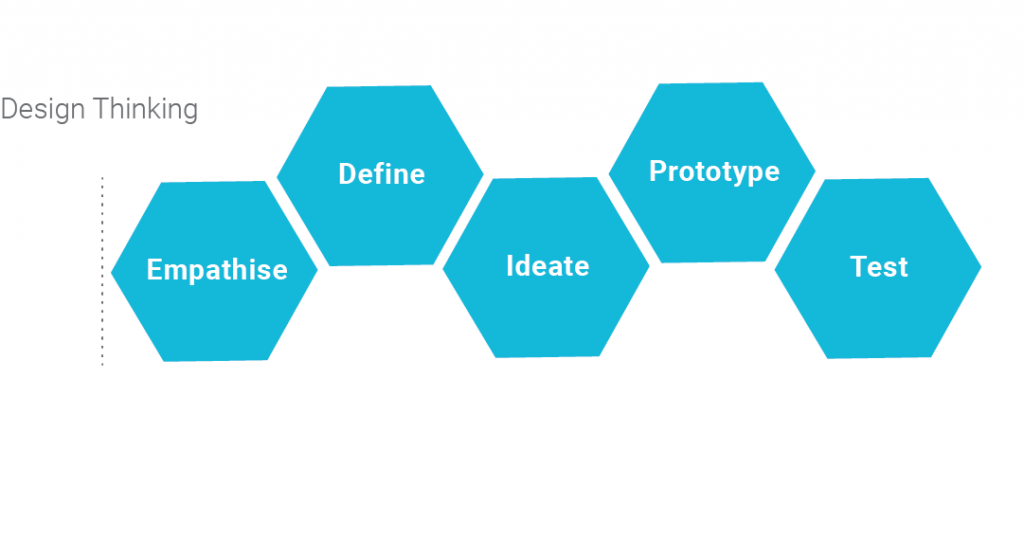
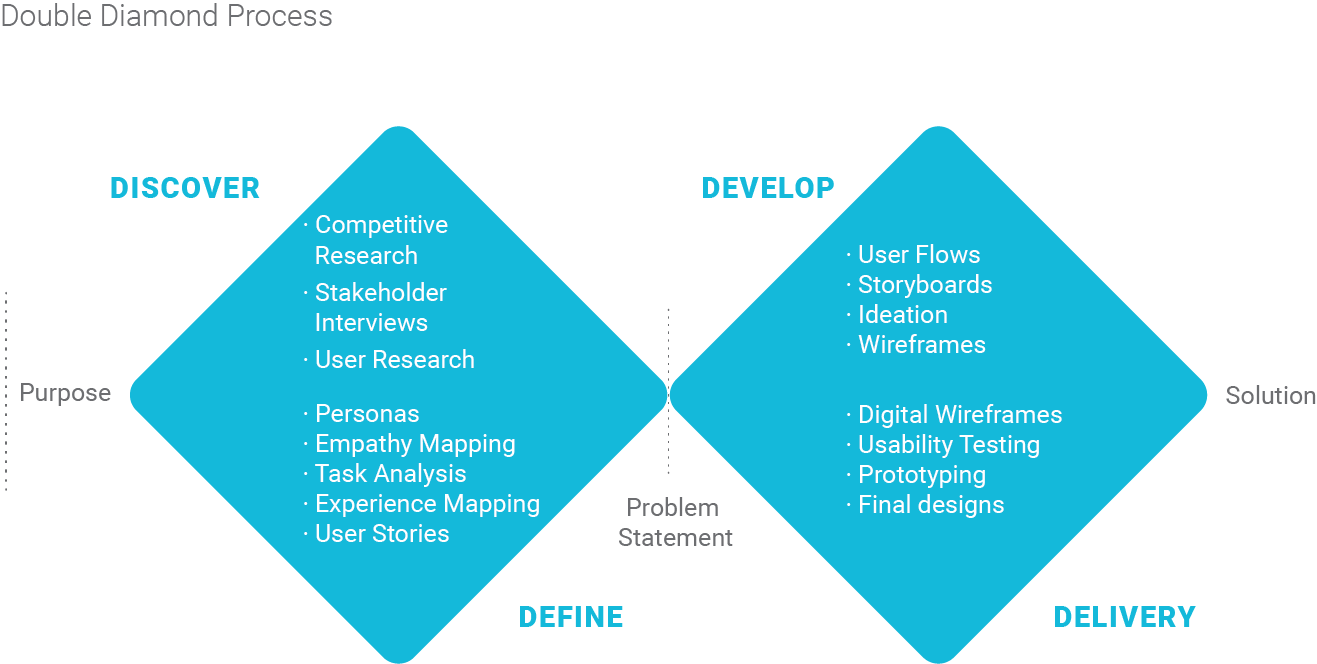
I will use the double-diamond approach to solve the problem and the design thinking process.
Discover
01.
Identifying The Problem
At the start of every project there is a briefing and a meeting with stakeholders. “Every” is the key word here, no matter if we’re baking bread or building a ship, so nothing new here for me. However the stakeholder interview was a bit different. We asked for his hopes, precautions and expectations from the project, discussing how he’d like to change the world with this app and who it would be for. We essentially put ourselves in his shoes and took a stroll to understand his feelings about the project.
We essentially put ourselves in his shoes and took a stroll to understand his feelings about the project.
The idea:
Connecting business partners such as spa-salons, sports centers, event and nightlife events, restaurants etc. with users to share them through social media platforms for group events.
02.
Competitor Analysis and Interview
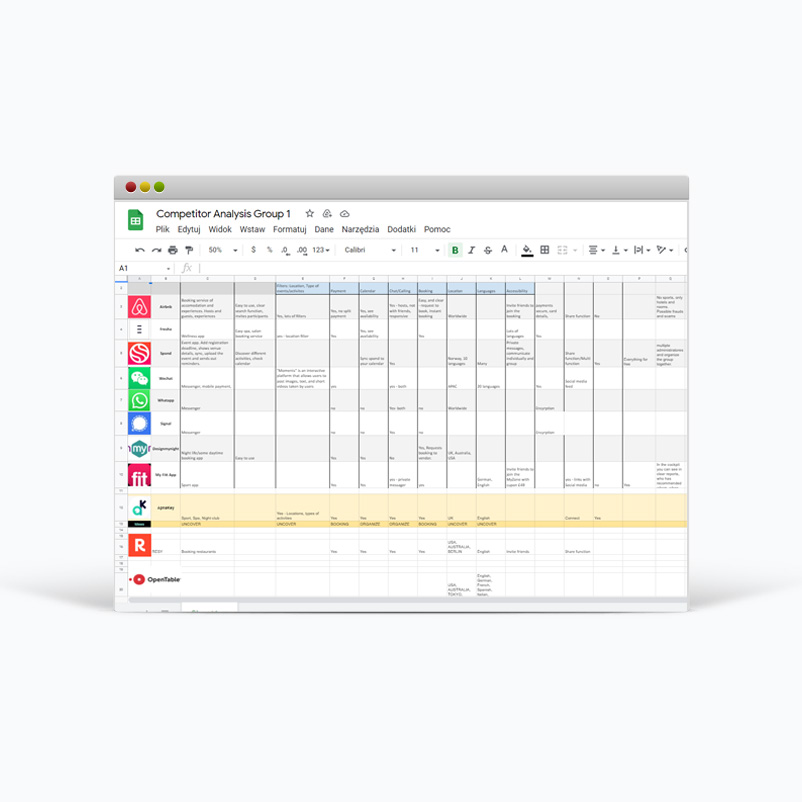
Next, we scouted out the internet for competition: are there similar products out there? Turns out that yes, although there were a few, each has its own upsides and downsides and none of them are ideal. Doing our research, we interviewed four potential users about their thoughts on an app like this – to find out the way they live, work, think, choose events, book events, pay for tickets etc. Most importantly, we reviewed their frustrations with similar products and what they would expect of a new app. The user is always right, the product is made for them after all. Turns out, our app would solve a bunch of problems, very nice.
Define
03.
Affinity Map / Persona
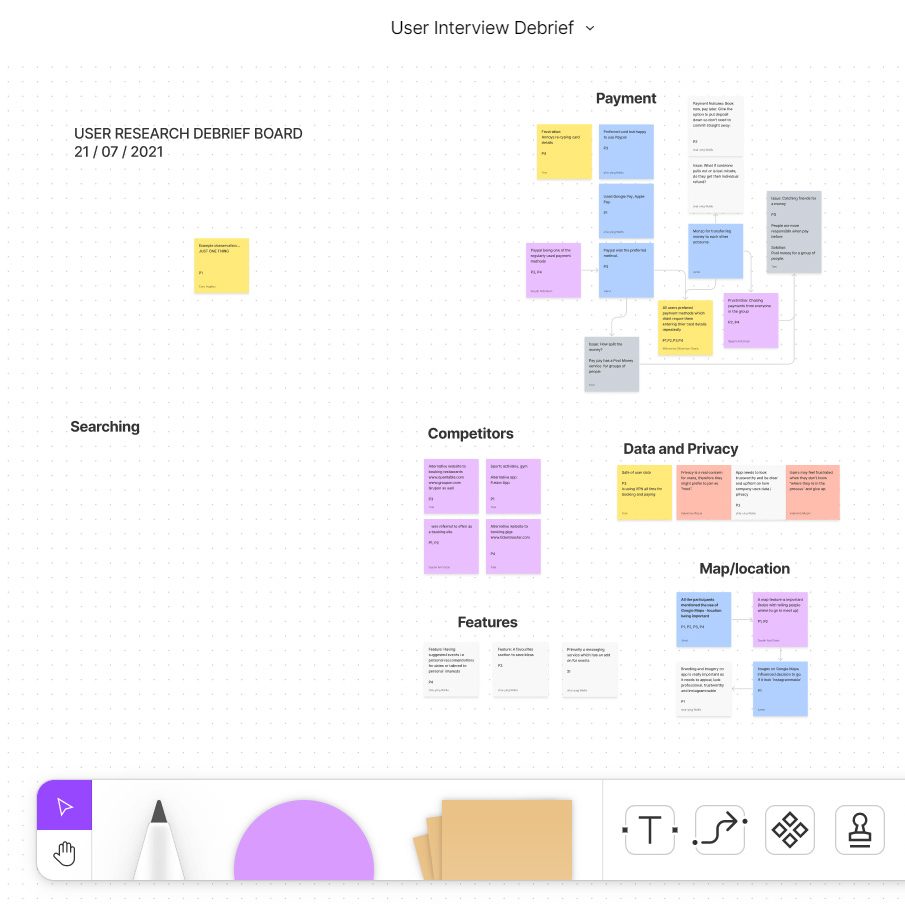
After the interviews we exchanged thoughts through the colourful post-it notes on FigmaJam. (Shown very often on UX designer screenshots, so I don’t see the need to show it here) How did that work out? Lots of contradictory or similar paraphrased opinions.
We sorted these thoughts up into different buckets, called an “Affinity map”.
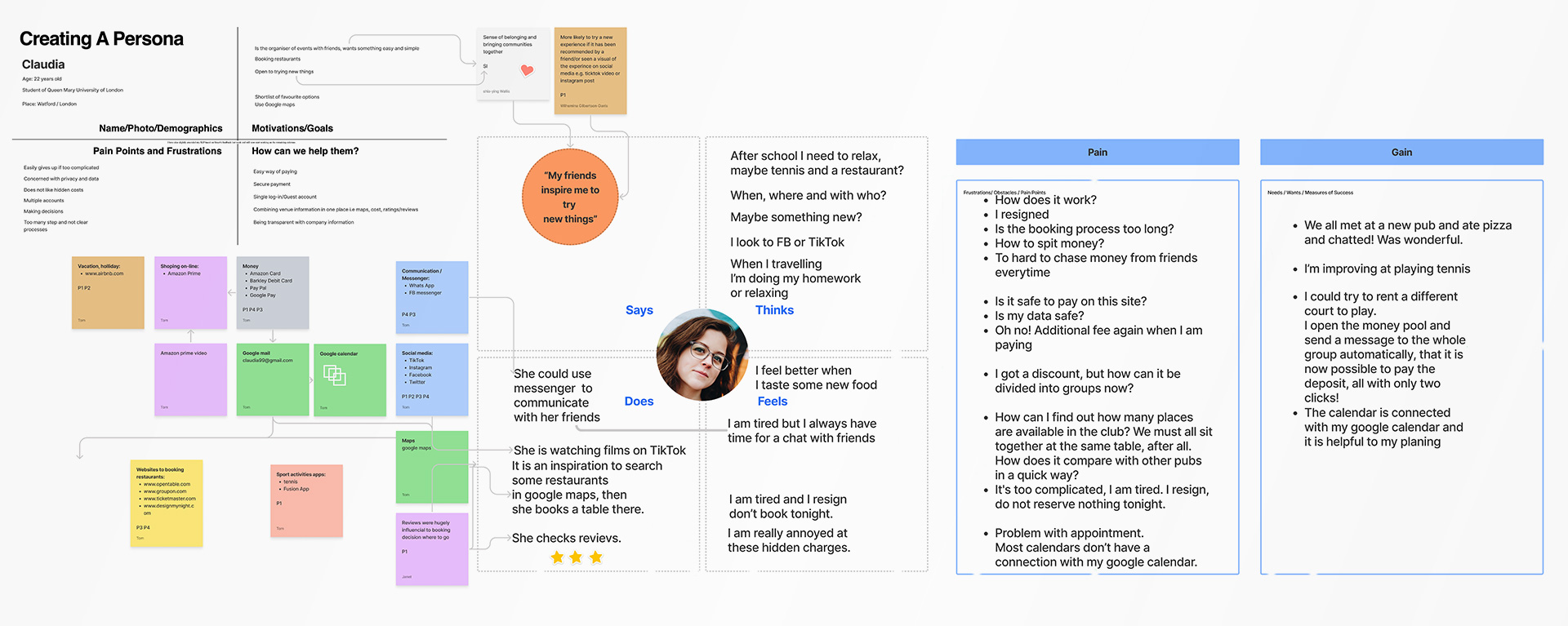
This is where several personas were born: models of potential users. Male, female, students or working professionals, we wanted to consider the common needs of each one.
04.
Empathy Maps
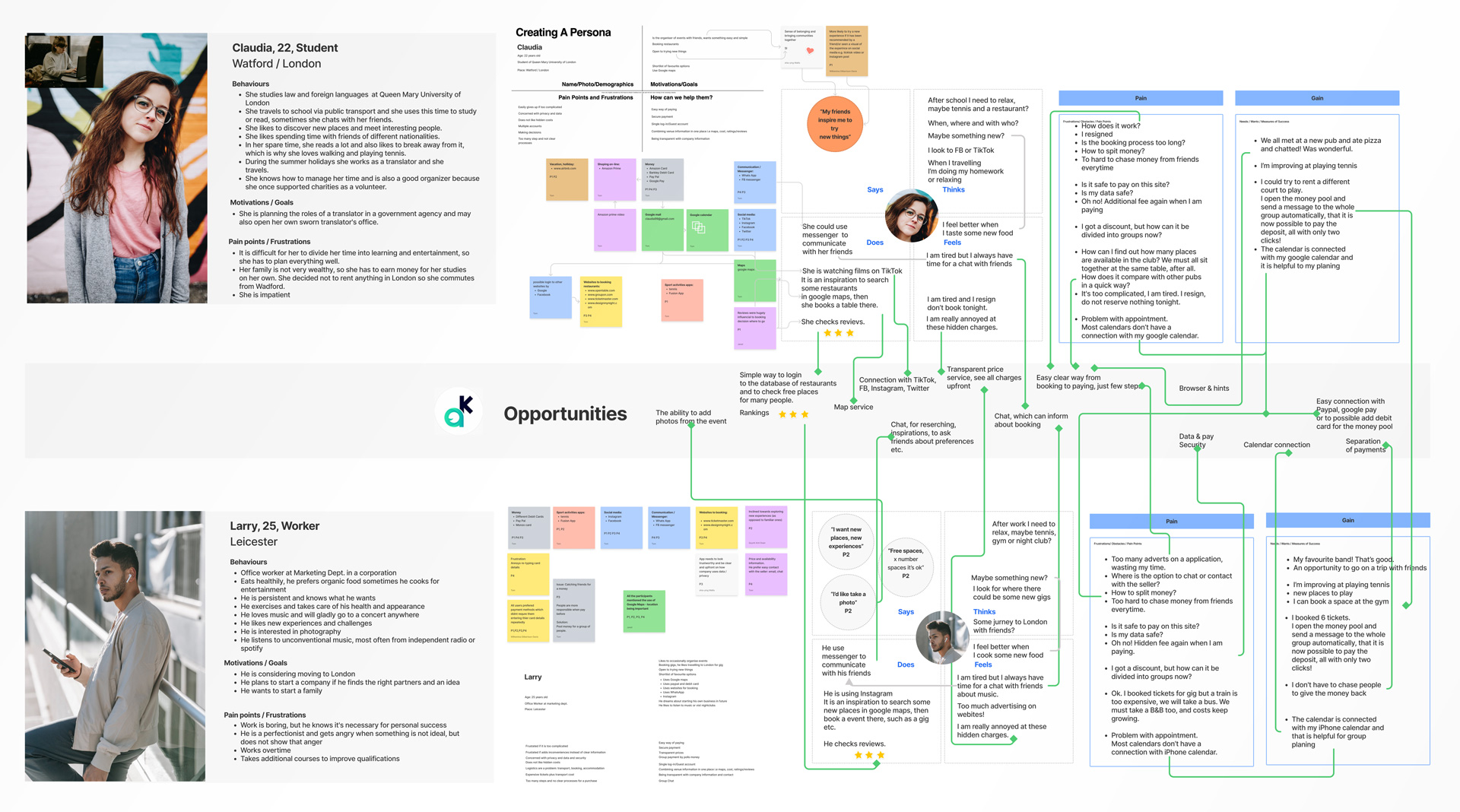
We developed those personas through Empathy Maps – essentially images with labels that show what each persona would feel, desire, do for a living, love, hate or be frustrated with.
05.
task analysis
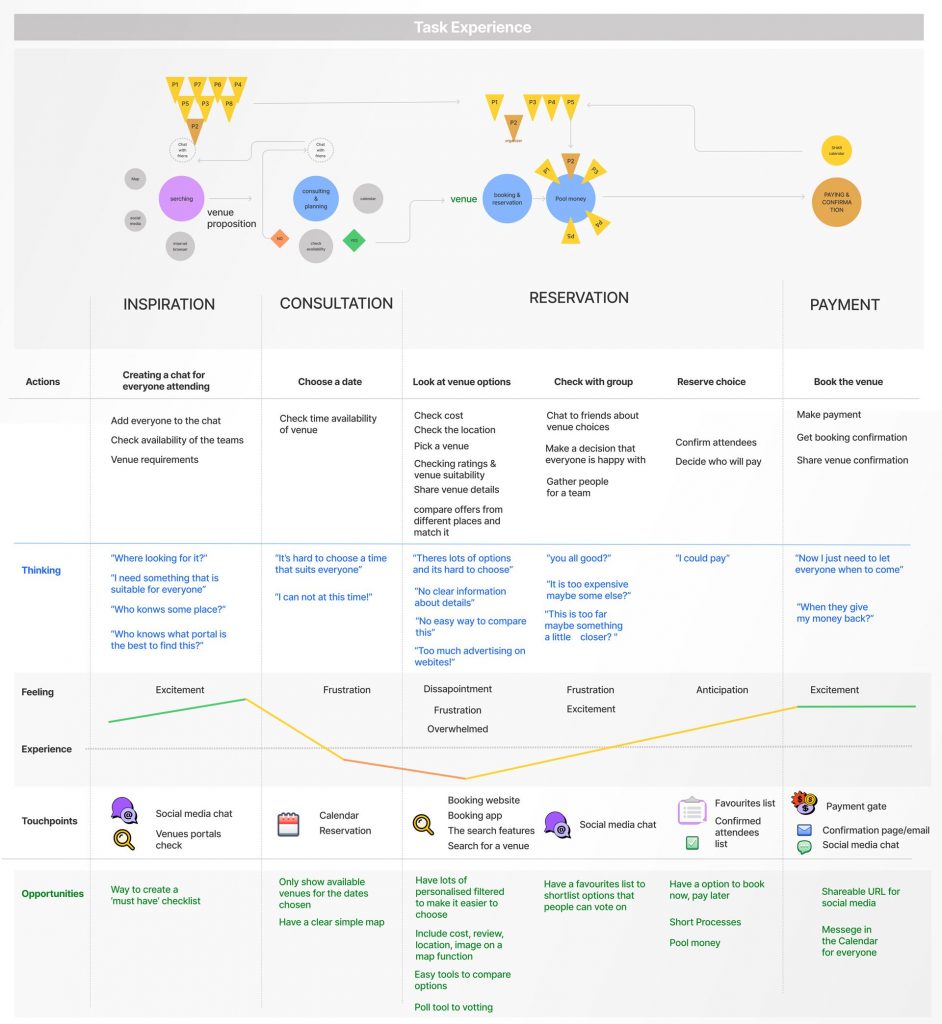
Based on the personas, we worked on “Task analysis”: the emotional journeys of each of the personas as they go through the app’s main process: starting from finding the event, telling their friends, group voting on who can come and when, through the booking process and finally confirming the purchase. This allowed us to find the exact sources of stress and frustrations the user could experience and plot them out on diagrams.
06.
Task Experience
I compared this to the competing apps and discovered areas of opportunity, where in this journey our app would ease the pain and frustrations that are usually present. Nobody likes pain and would rather avoid it, which is exactly where our product could help out. This helped us understand the goal of the app and any problems related to its development.
Task Experience
07.
Problem Statement
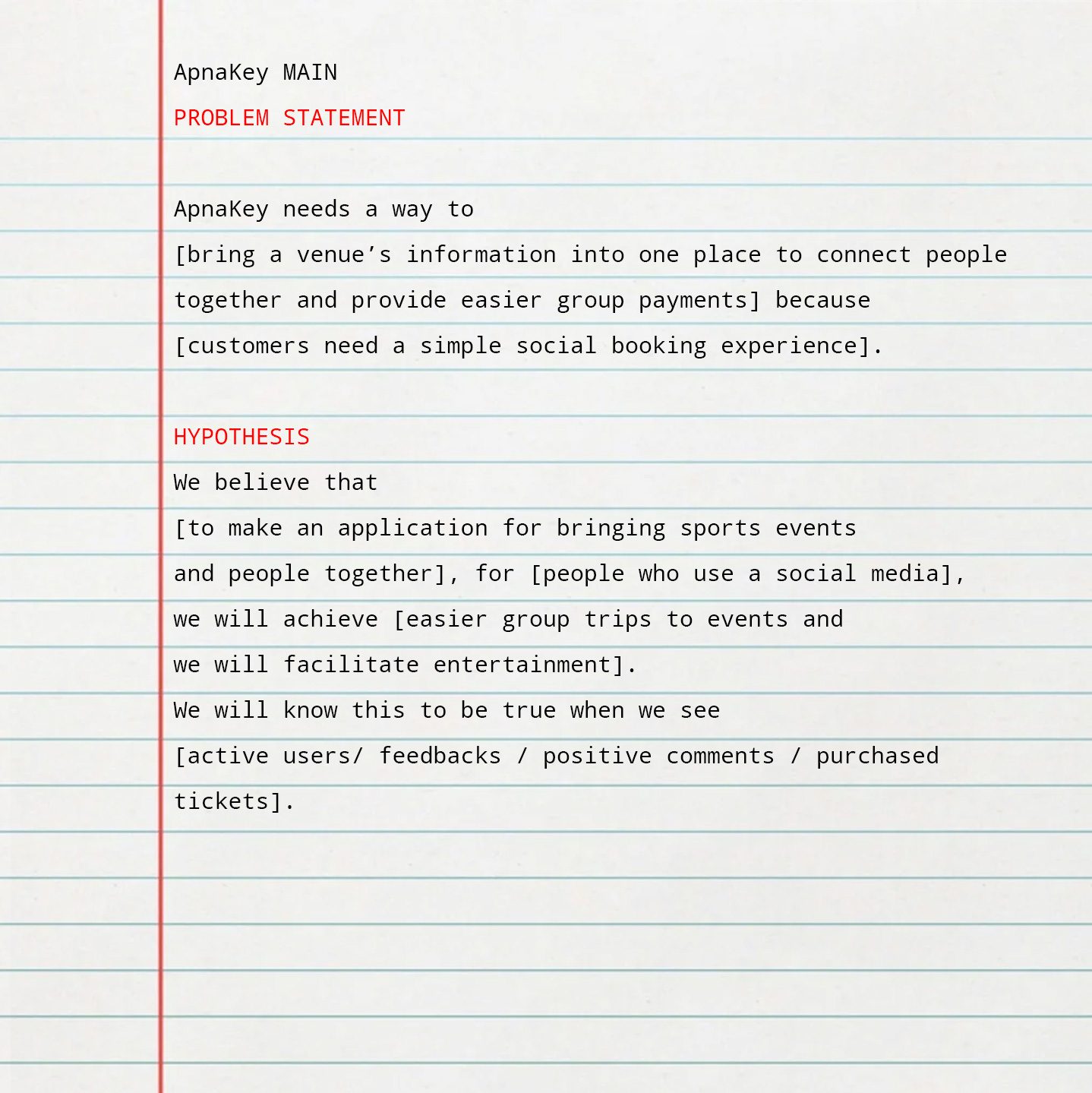
We completed the problem statement – a sentence boiling down what the app does and how it solves a certain problem. A hypothesis was also made here, about what we think could be done to solve this problem using the app. Now it was time to do exactly that.
Shorter summary crystallized Problem Statement and Hypothesis
- Apnakey needs a way to improve the decision-making process within group booking experiences
- We believe that by creating a polling function we will allow users to improve the communication within a group and therefore make quick, hassle-free decisions on venues or activities
Development
08.
User flow
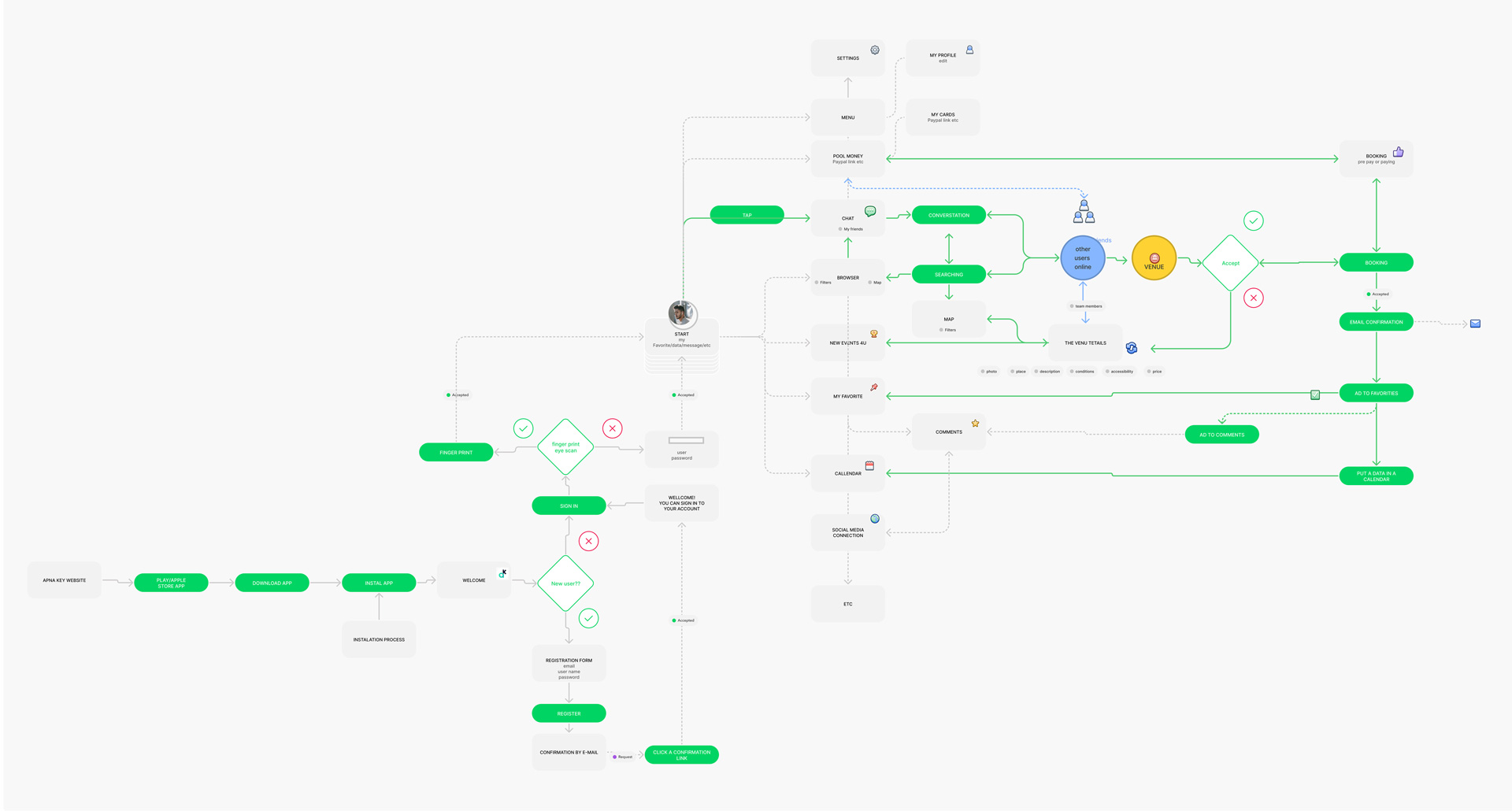
8.1) First we discussed the “user flow”, which is the binary (yes/no) route of the user through the steps of decision making. For each decision there were always two solutions – a fascinating task.
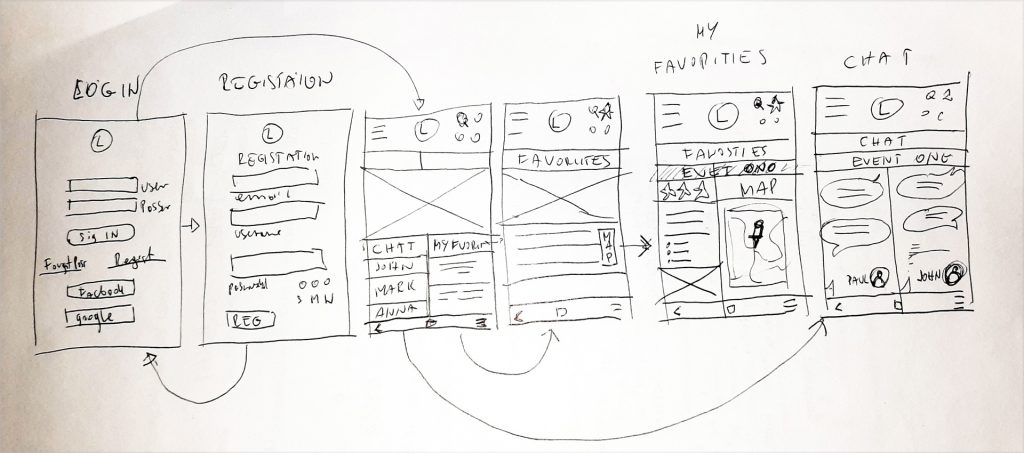
8.2) Building on the user flow, we created the Wireframing – a few different journeys the user can take, as a sequence of hand drawn panels suggesting the screen of a smartphone. That is where we planned the position of buttons, images, text and menus – a simple black and white diagram of the app.
Deliver
09.
Low fidelity prototype
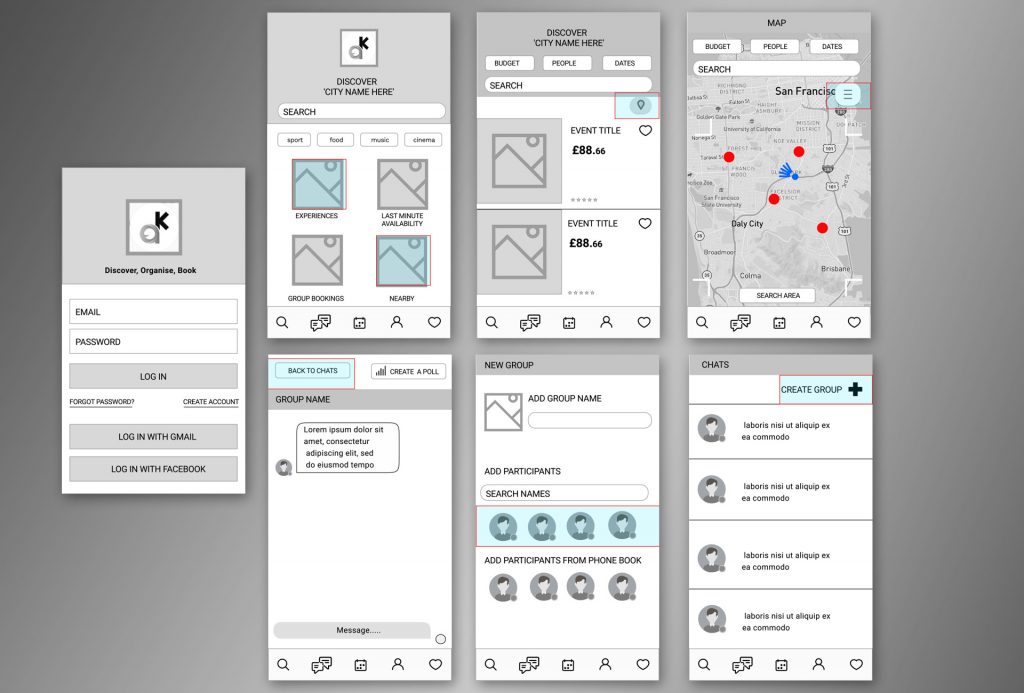
9.1 Low fidelity framing – We made these into Figma for an interactive experience and that’s the project done… only in theory for now!
Usability testing
9.2) We still had to do the usability test: testing the plan of the app on living specimens. We chose two people to test out the app and share their opinions. We’ll heard their thoughts on enquiries such as:
- Does the project deliver on its promises?
- Is it focused in the right direction?
- Any feedback on what can be changed or improved?
- Is anything missing or getting in the way?
- We note down the responses to analyse them further.
“I would like to share my activities with phone book contacts and add venues to Google Calendar”
Users
“I would appreciate to share the map function with my friends when choosing a group hangout”
“I really appreciate the poll feature and find it very helpful and handy”
The Feedback Was Surprisingly Positive And Very Encouraging, Super Happy About That!
10.
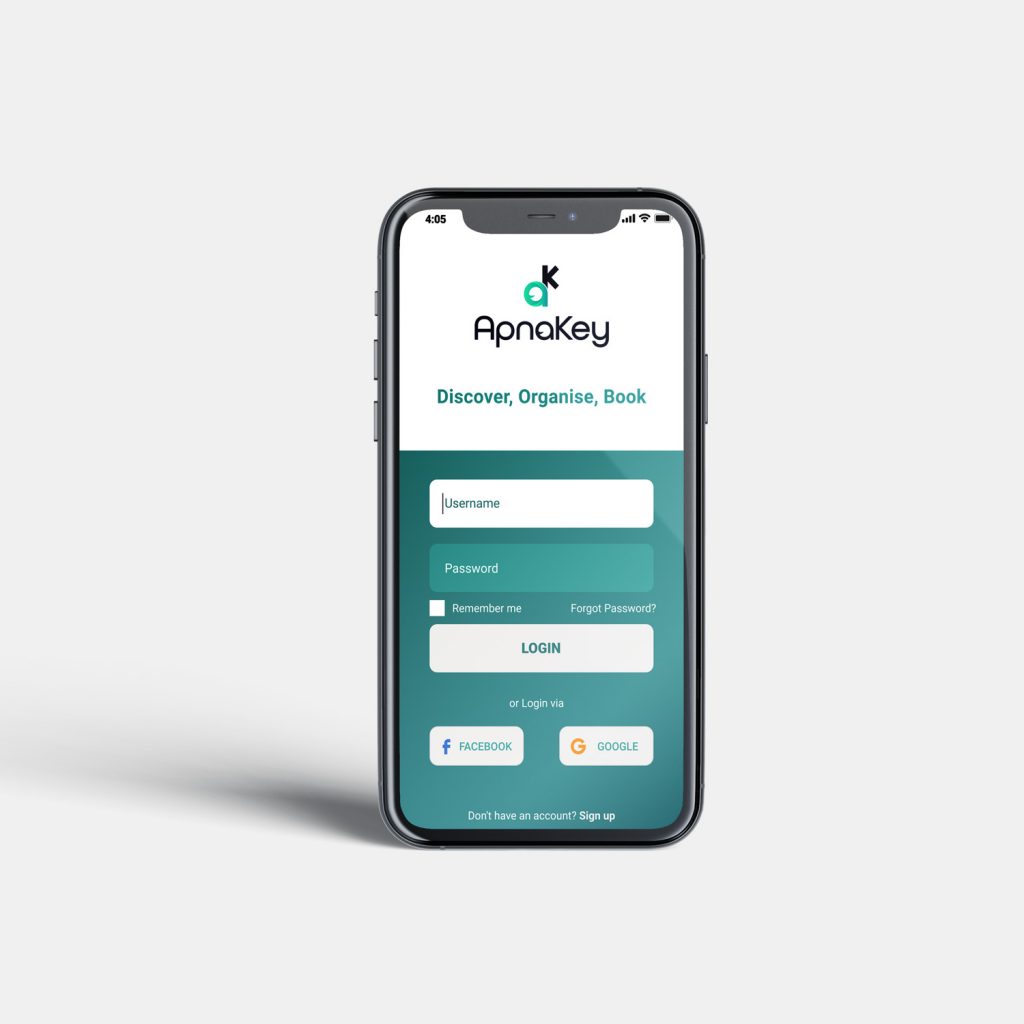
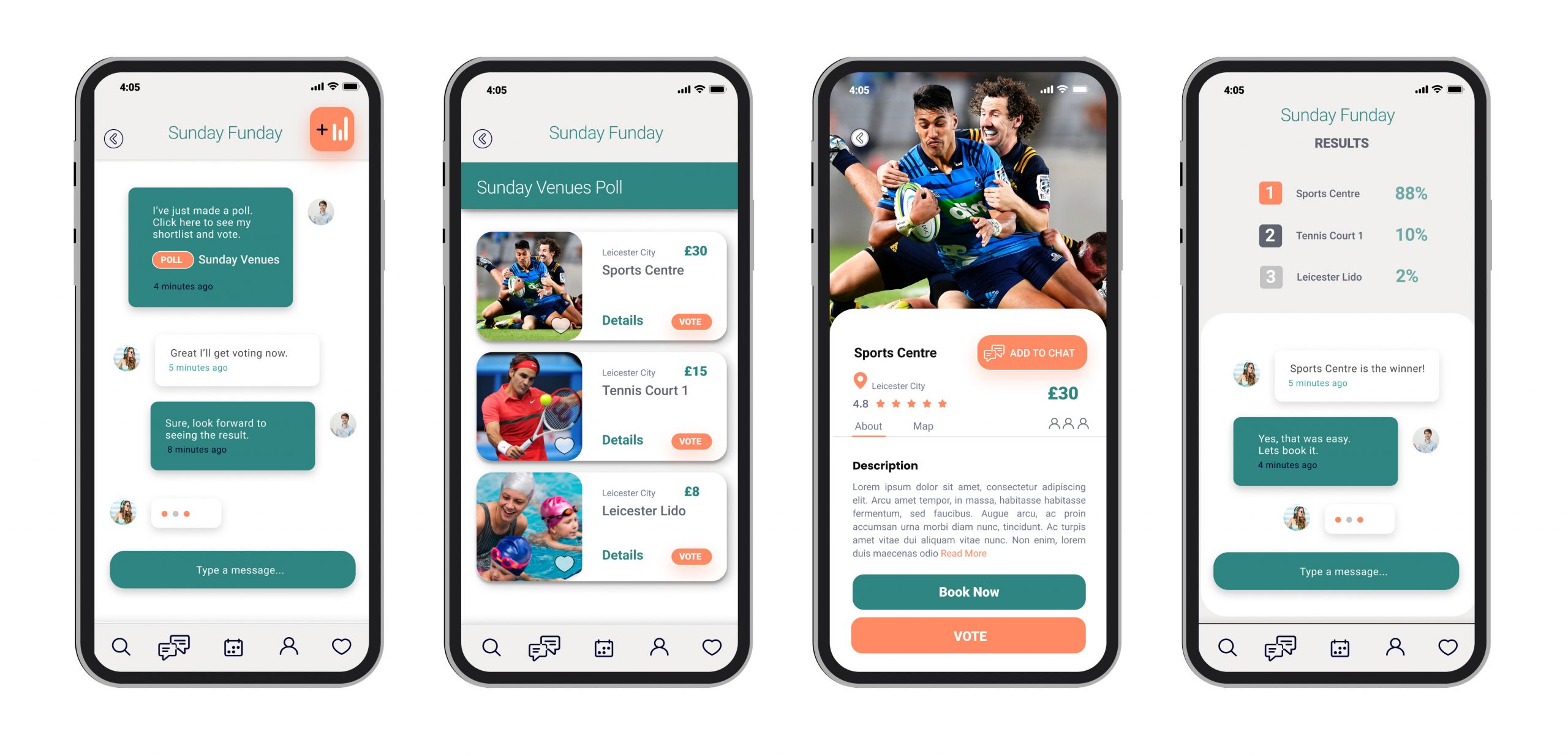
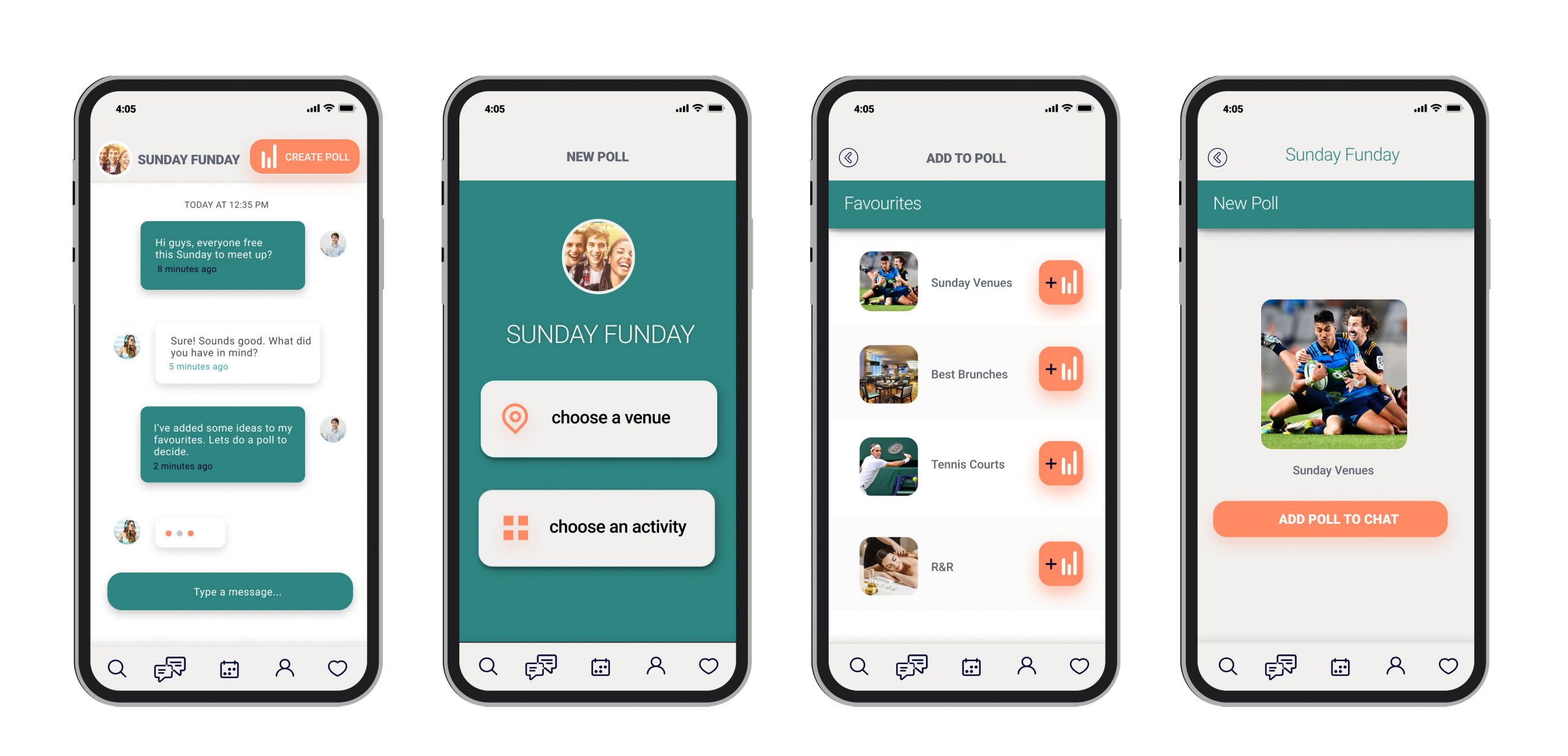
High fidelity prototyping
We adjusted the project based on the feedback from the testers. Next, we dressed up the app’s current black and white skeleton into colourful, fully featured skin and flesh containing weeks of our work.
The colour palette was determined from branding, and a few complementary colours are added for a bit of contrast. We set the font style, size and the proportions of app elements. For the behavior we use Figma to handle the interactions.
We demonstrated the project to our client with all specifications and information about its workings.
Overall, the feedback was very positive. Our solutions are going to be implemented into the app. Success!
Summary
What did I find most fascinating?
I was fascinated by creating the persona, especially defining what triggers her frustration and the obstacles to achieving her goal. I like observing and improving the user journey.
What would I change if I were to do this again?
I would conduct more stakeholder interviews and create more personas. Next I would test two versions of the prototype with more users involved. Then I would compare the results and analyse user feedback and choose the best version. This approach would obviously take more time.